


- Details
- Category: News
Introducing Remote Scanner — App Suite for Remote Barcode Scanning
We are pleased to announce the launch of Remote Scanner — a set of applications that turn your smartphone or browser into a remote barcode scanner. Scan on your phone, and the result is sent straight to the right computer or into the active program (1C, inventory systems, any input form). No cable, no separate scanner.
⭐⭐⭐ Link to site: remotescan.ru
What’s in the suite
- Windows app — installs on the PC where barcodes should be received. Works on a regular computer or on a remote desktop (RDP). Shows a unique identifier and a QR code for quick setup.
- Android app — fast scanning with the camera, manual identifier entry or scanning the QR code from the Windows app. Handy for warehouse, inventory, and labeling.
- Web scanner — runs in the browser on a PC or smartphone. No install: open the page, enter the identifier, and scan.
Who it’s for
Warehouse staff and cashiers who want to do without a separate scanner. Teams doing inventory or labeling in 1C — several people can scan into the same form at once. Developers who need to emulate a scanner when debugging their apps. And anyone who needs to quickly send a barcode from their phone into software on a computer.
How to get started
Download the Windows app from the site and install it on your PC (or on an RDP server). Install the Android app or open the web scanner in your browser. Use the same identifier in both — you can scan the QR code from the Windows app to fill it in automatically. Then just scan: data is sent to the chosen PC and into the active window (the standard 1C barcode scanner driver can be used if needed).
Everything is free and no registration required. We do not collect or store personal data — see our privacy policy for details.
Read more:
remotescan.ru
- Details
- Category: News
We've made a major app update:
We've migrated the app from UWP to WinUI.
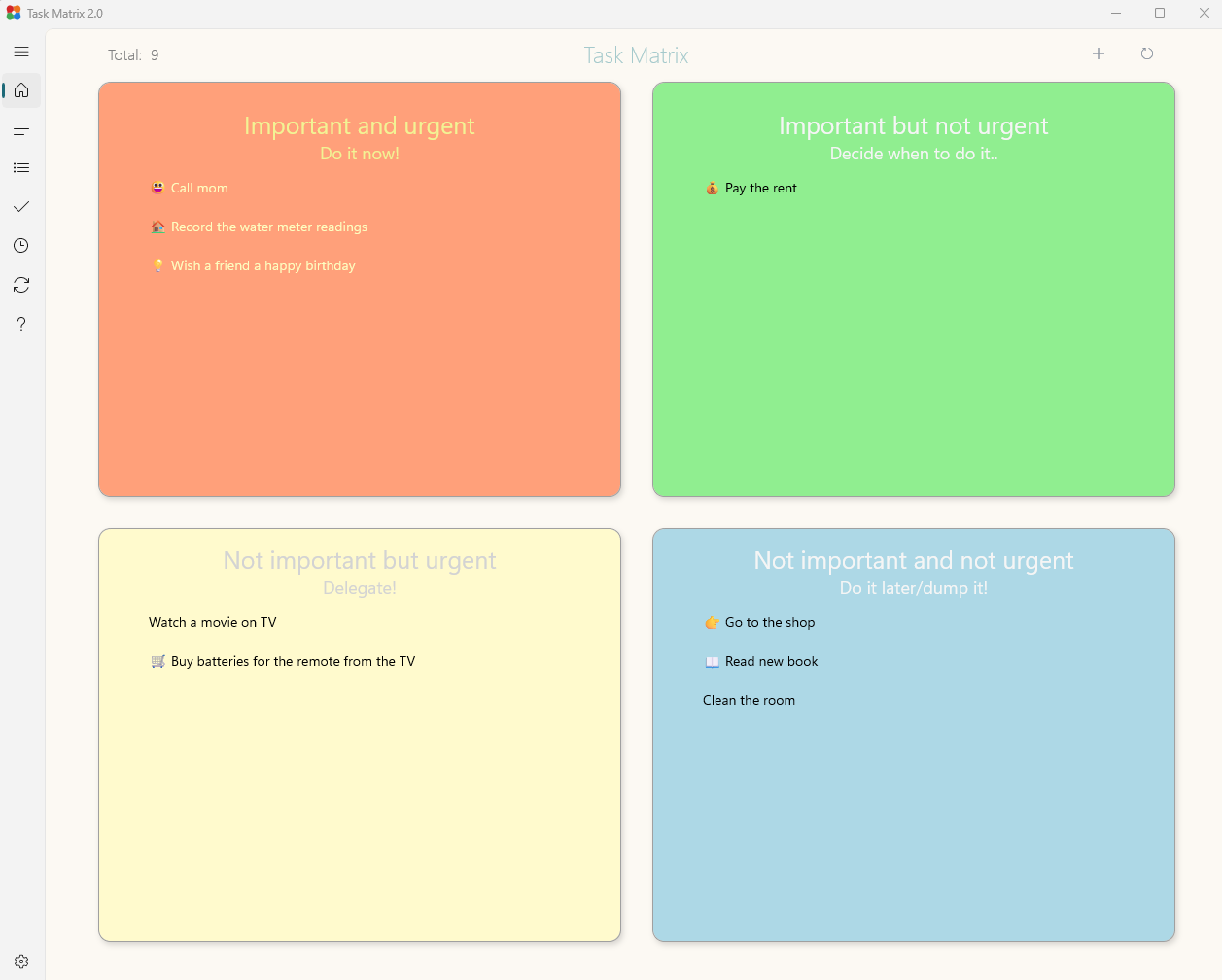
The app is available in the store under a new name - "Task Matrix 2.0"
Here's the link to the new app:
Task Matrix 2.0
- Details
- Category: News
Today, 08/08/2021, we added the ability to specify emoji in task names to our application "Task Matrix". Emoji will help you visually thematically separate tasks from each other. And also - visually it looks great! 😉
- Details
- Category: News
Today, 03/22/2020, we carried out large-scale work to change the design of our application "Task Matrix". In accordance with the latest trends in the design of 2020, we added the "neomorphism" style to the application.
- Details
- Category: News
Today 03/03/20 we added the editing functionality of the color scheme of squares to our application "Task Matrix". Now you can customize the colors of the squares and text to your taste - the way you like.
You can change:
1) Background color of the squares
2) Color of the square header text
3) Text color of tasks in squares
Also, we have added a new button design for light and dark Windows themes.