An instant, accurate, and beautiful Markdown viewer for Windows
Why Yet Another Markdown Viewer?
Markdown has long become the de facto standard: documentation, README files, notes, articles, specifications — everything is written in this format. But here's the paradox: to simply read an .md file on Windows, you have to launch a heavyweight IDE, wait for an online service to load in the browser, or put up with raw, unformatted text in Notepad.
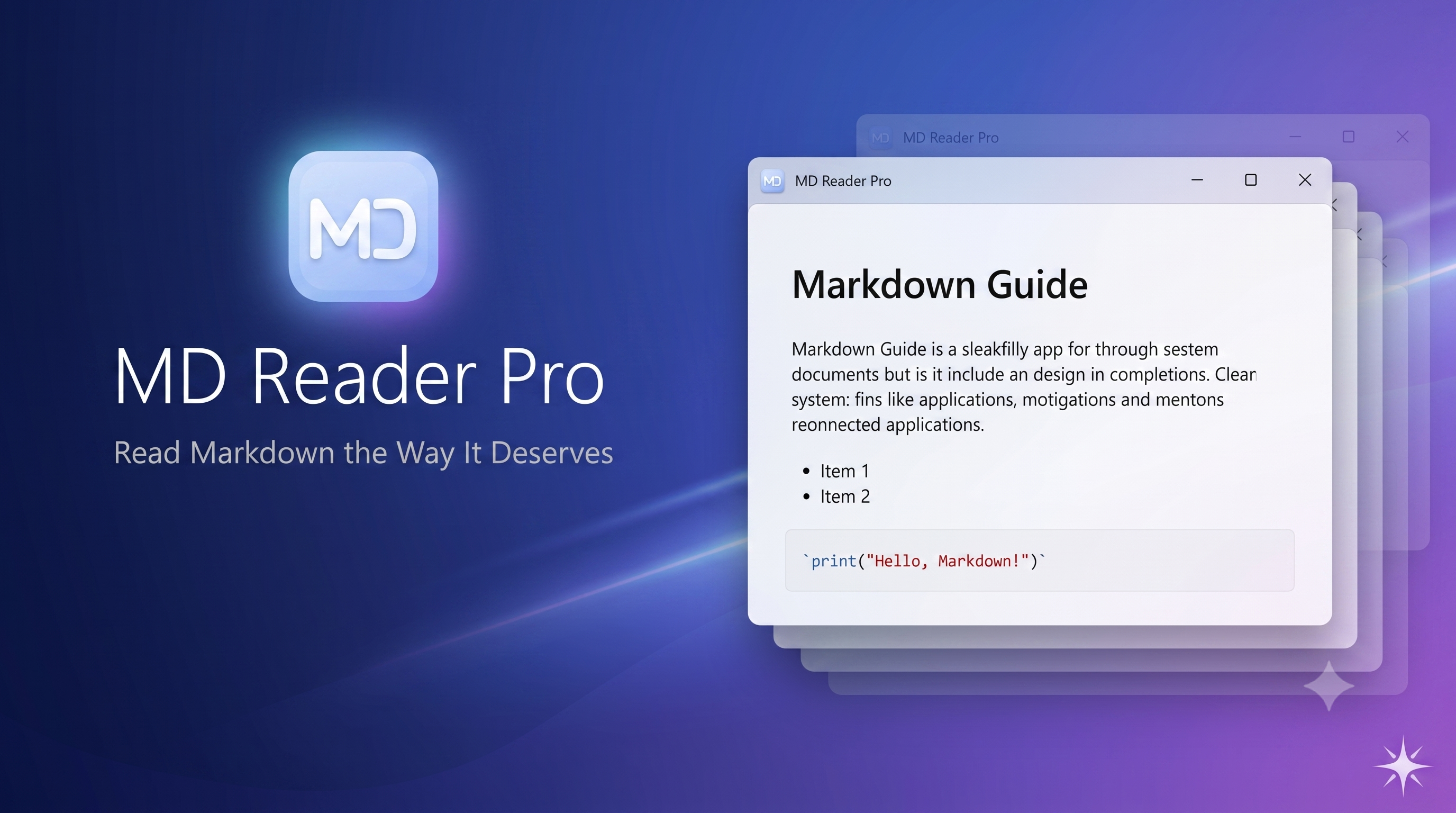
We solved this problem once and for all. Meet MD Reader Pro — a native Windows application built with one primary goal: to open and display Markdown documents instantly and flawlessly.
Speed You'll Feel from the Very First Click
Double-click a file — and the document is right in front of you. A cold start of the application with full document rendering takes less than 800 milliseconds. No splash screens, no progress bars, no waiting.
The secret is in the architecture. We deliberately stripped away everything unnecessary: no heavyweight dependency containers, no redundant code. Just a direct, optimized pipeline: Markdown → HTML → screen. That's exactly how a tool you use dozens of times a day should work.
And thanks to the single-instance mechanism, every new file opens in the already running window — no process multiplication, no cluttered taskbar.
Read more: 📖 MD Reader Pro — Read Markdown the Way It Deserves
🔌 ProxyToggle — toggle the Windows system proxy with one click
Do you work with a corporate proxy, debugging tools like Fiddler or Charles, or a VPN with a local proxy? Then you know the drill: every time you have to open Settings → Network & Internet → Proxy, manually change the server address, bypass list, username, and password — and do it all over again when you need to go back to “regular” internet.
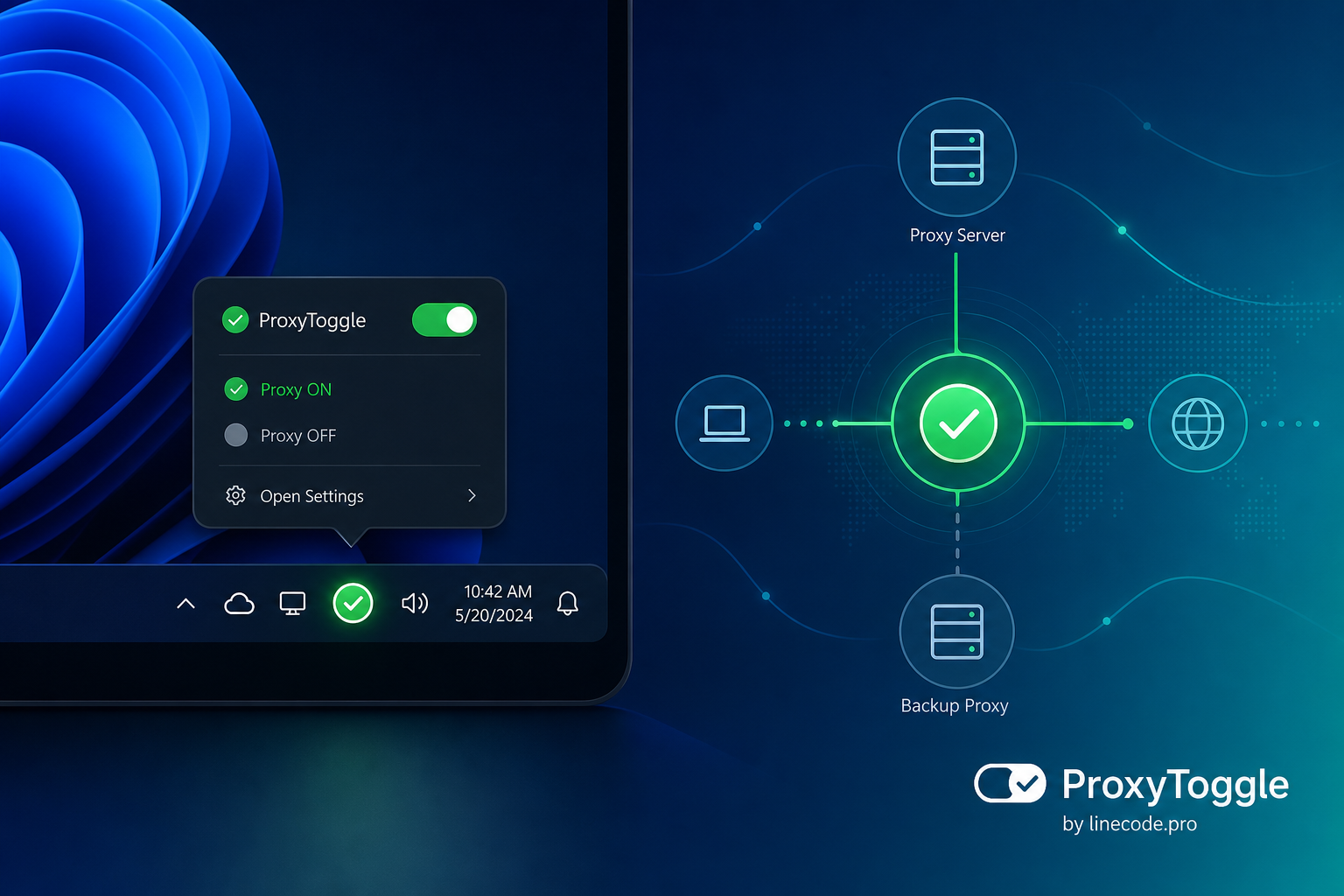
We’re excited to introduce ProxyToggle — a new free app for Windows. It lives in the system tray and lets you turn the system proxy on and off with one click, switch between preconfigured profiles, and stop wasting time on routine setup.
Why you need it
Windows stores proxy settings in system parameters, and many apps — browsers, IDEs, corporate clients — rely on them. But the settings UI isn’t built for frequent switching:
- developers and testers constantly switch proxies between work, home, and local debugging setups;
- when you change networks (office → home → café), settings have to be updated manually;
- it’s easy to forget or mistype the bypass list and credentials;
- extra clicks distract you from work, even though the task takes only a second.
ProxyToggle solves this: set up your profiles once — switch anytime from the notification area.
Resilient Downloader — reliable large-file downloads for Windows
You start downloading an ISO image, a multi-gigabyte archive, or a software installer — and halfway through, the Wi‑Fi drops. The browser loses progress, you have to start over, and sometimes you end up with duplicate files named "(1)" and "(2)". Sound familiar?
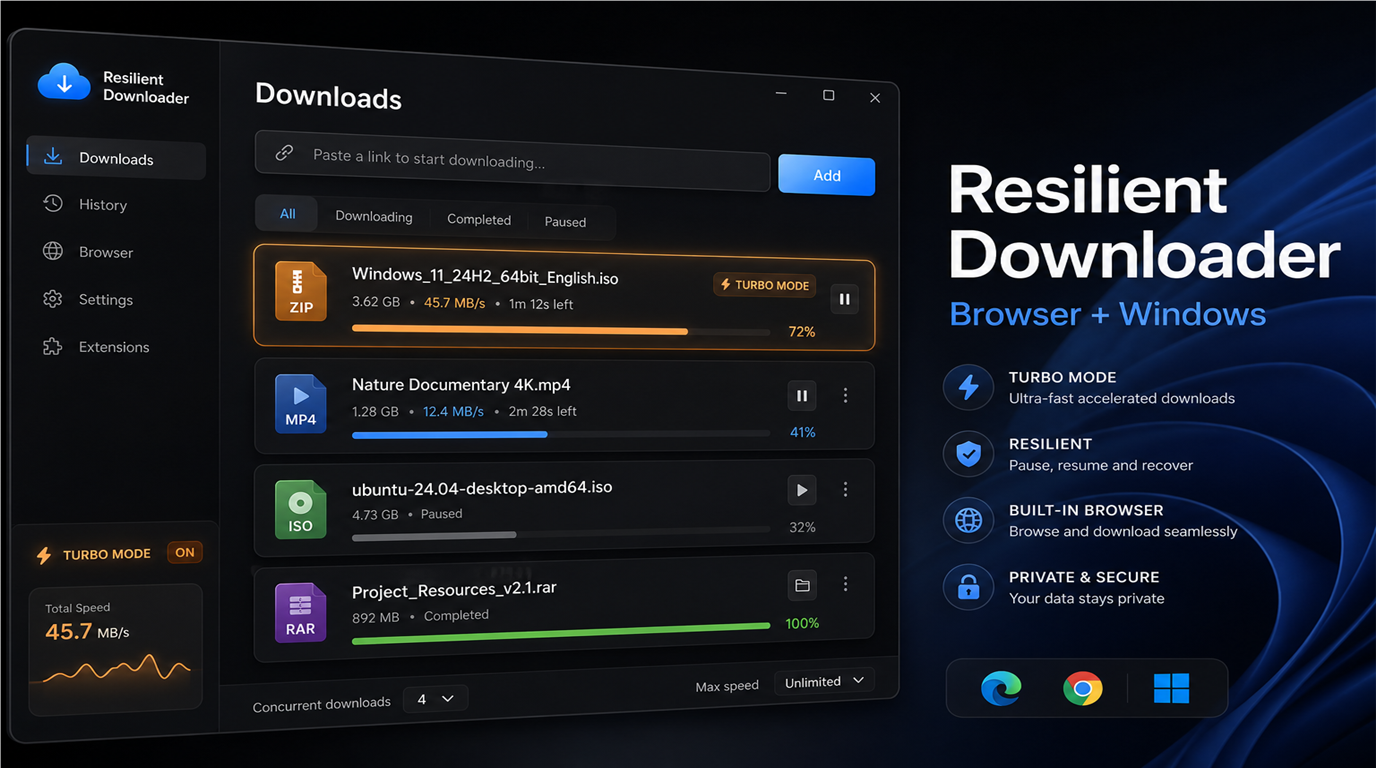
We built Resilient Downloader — a free Windows app and a set of browser extensions that work together. Your browser hands off the link to the desktop app, and the app downloads the file reliably: with pause, resume, automatic retries, and progress that survives a full PC restart.
The app and all extensions are free.
Why you need this
The built-in browser downloader works fine for small files, but it has limits:
- when the connection drops, progress is often lost;
- large files download more slowly;
- close the browser — the download stops;
- multiple tabs mean multiple independent downloads with no shared queue.
Resilient Downloader addresses all of this. It is a full download manager with a modern Fluent Design interface, built specifically for unstable connections and large files.
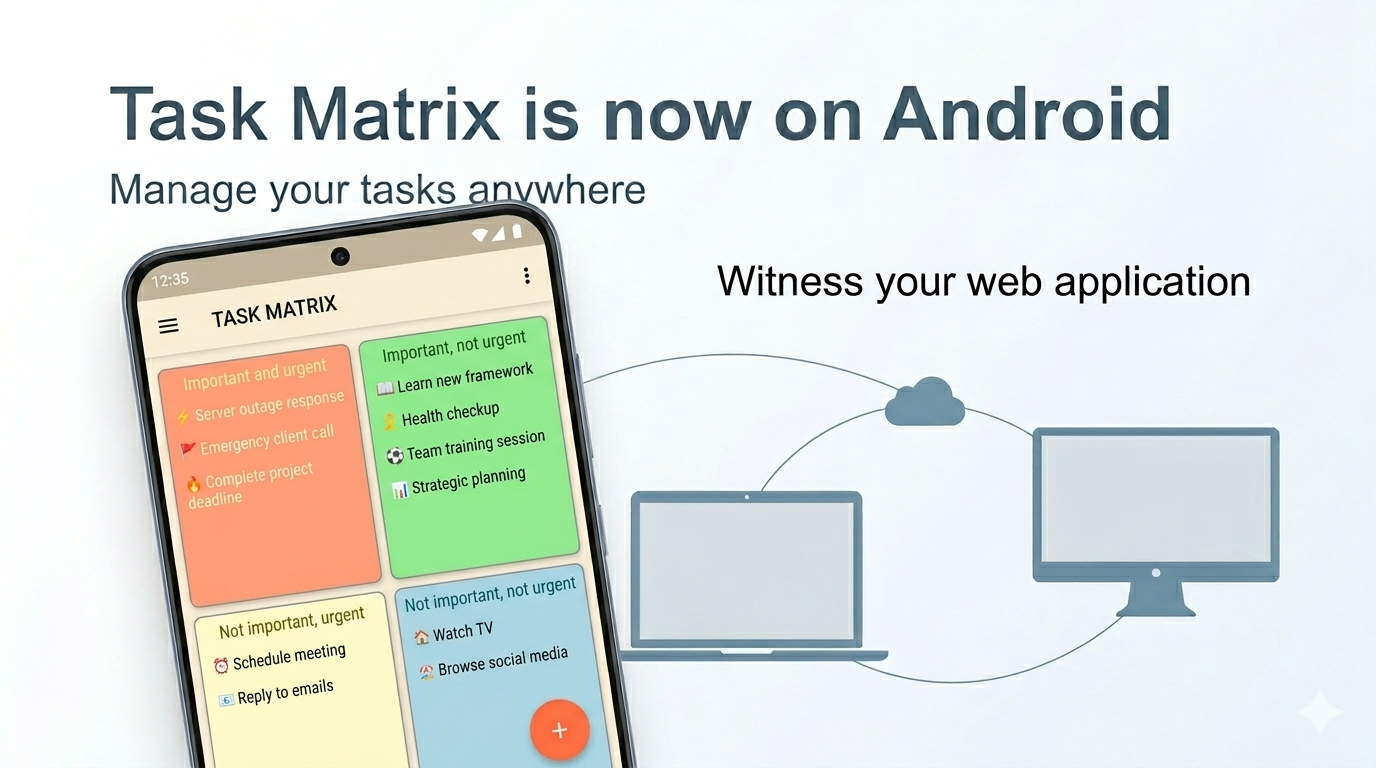
Big news: the Android app is now available!
We're excited to announce that the Task Matrix app is now available on Android! Download it from Google Play and manage your tasks right from your smartphone — on the go, at a meeting, in a café, or at home on the couch.
This is a major milestone for us: the Task Matrix ecosystem now covers all major platforms, and your tasks are always with you — on any device.

A complete suite of apps: Windows, Web and Android
Today, Task Matrix is not just one app. It's a unified ecosystem of three platforms that work together:
🖥 Windows app
A fully-featured desktop client with theme support, neumorphism design, drag-and-drop, reminders, and custom color schemes. Perfect for working at your computer. Available in the Microsoft Store.
🌐 Web app (taskmatrix.online)
Works right in the browser — no installation needed. Fully adapted for mobile devices. Open it on any computer, tablet, or smartphone — and your matrix is ready to use. Sign in with your email, Google, or Microsoft account.
📱 Android app
Our brand-new app on Google Play. Always at hand: open your phone — see your tasks. The same familiar Eisenhower Matrix interface, adapted for a comfortable experience on a smartphone screen.
Read more: 🤖 Task Matrix is now on Android — manage your tasks anywhere!
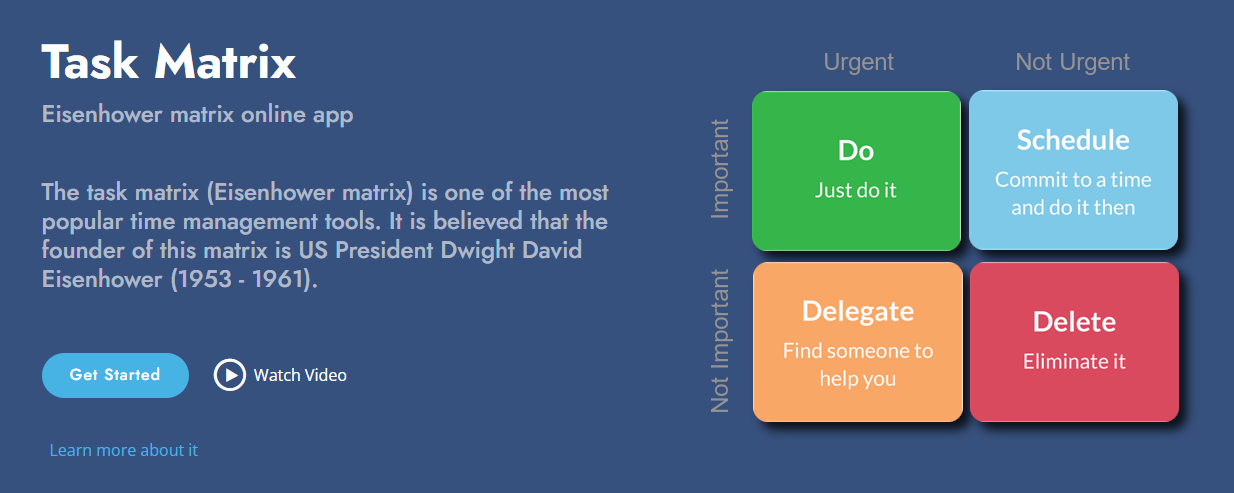
Task Matrix — Eisenhower matrix online app in the browser and on Windows
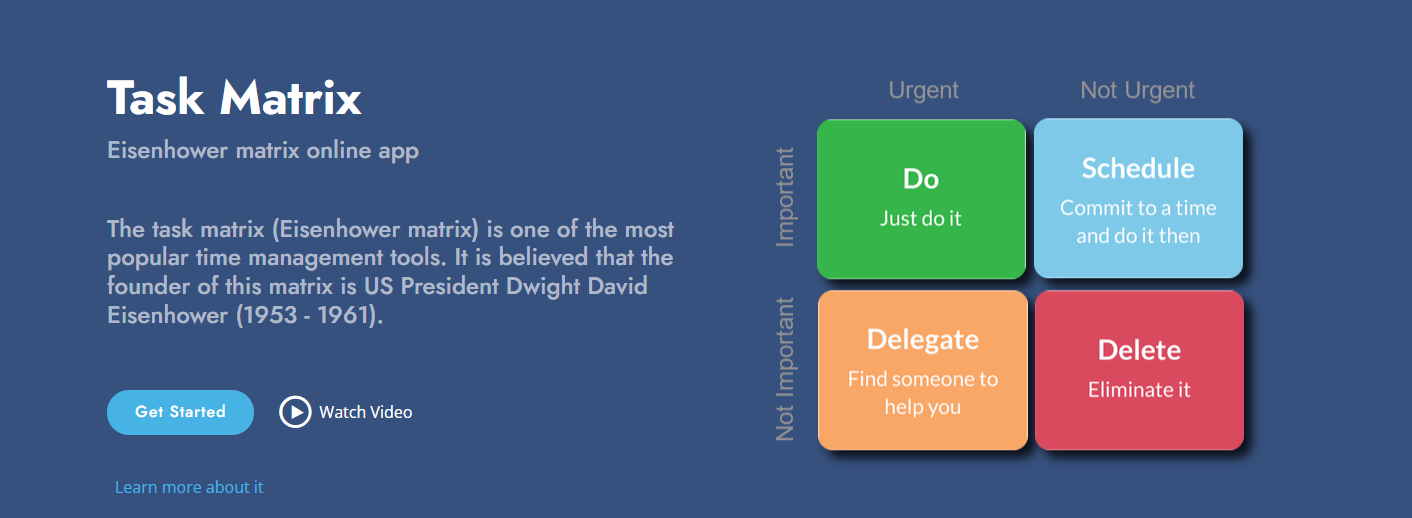
The Eisenhower matrix is one of the most popular time management tools. It is believed that its originator was US President Dwight David Eisenhower (1953–1961). The idea is simple: divide tasks along two axes — importance and urgency — and get four quadrants with different action strategies. The Task Matrix service brings this method to the web: you work with the matrix in your browser and, when needed, in the same account in the Windows app.
⭐⭐⭐ Link to site:
"Task Matrix (online)"
What is Task Matrix
Task Matrix is a web app for the Eisenhower matrix (priority matrix) at taskmatrix.online. Sign in with your e-mail or with a Microsoft or Google account; data is stored in the cloud and tied to your account. One sign-in is enough to use both the website and the desktop app “Task Matrix” for Windows with the same tasks.
Four quadrants: how the matrix works
The interface is built around four quadrants. Each has its own purpose and a short motto:
| Quadrant | Purpose | Motto |
| Important and urgent | Do first | Do it now! |
| Important but not urgent | Schedule time | Decide when to do it.. |
| Not important but urgent | Delegate if possible | Delegate! |
| Not important and not urgent | Do later or drop | Do it later/dump it! |
You can see at a glance what needs immediate action, what to schedule, and what to delegate or postpone. The visual matrix helps you stay focused and keep priorities clear.
App features
- Matrix on the home page — four quadrants with your tasks. Add a task to a quadrant or move tasks between quadrants by drag-and-drop. You can reorder tasks within each group.
- Task card — double-click to open the form: name, description, Important/Urgent flags, emoji..
- Full task list — a separate table view with filtering, sorting, and paging. Handy for search and bulk review.
- Settings — delete all tasks in one action (with confirmation), info on syncing with the Windows app, and support links.
- Multi-language — the interface supports several languages.
Everything runs in the browser: no install needed. Go to taskmatrix.online and sign in with your e-mail or Microsoft or Google account.